HTML Courses
HTML JavaScript
Description
JavaScript makes HTML pages more dynamic and interactive.
The HTML <script> tag is used to define a client-side script (JavaScript).
The <script> element either contains script statements, or it points to an external script file through the src attribute.
Common uses for JavaScript are image manipulation, form validation, and dynamic changes of content.
To select an HTML element, JavaScript most often uses the document.getElementById() method.
- Here are some examples of what JavaScript can do:
- JavaScript can change content
- JavaScript can change styles
- JavaScript can change attributes
The HTML <noscript> tag defines an alternate content to be displayed to users that have disabled scripts in their browser or have a browser that doesn't support scripts:
You can either write the Javascript in the html page using the element <script> or you can use a seperate .js file.
For now we are going to use it in html.
Tutorial Videos
Change the color of the paragraph
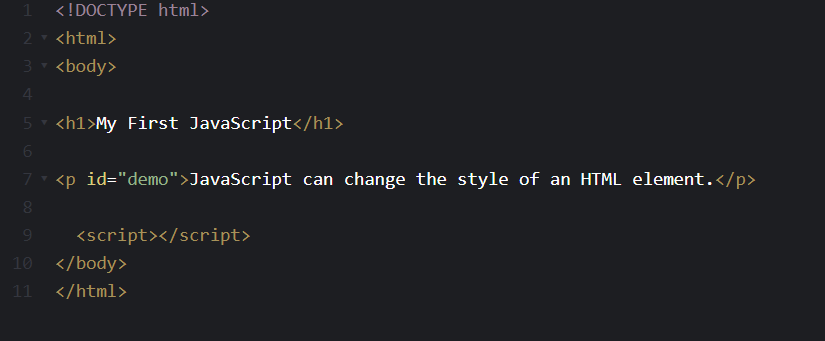
Step 1
Write the <script> element in the body element.
Step 2
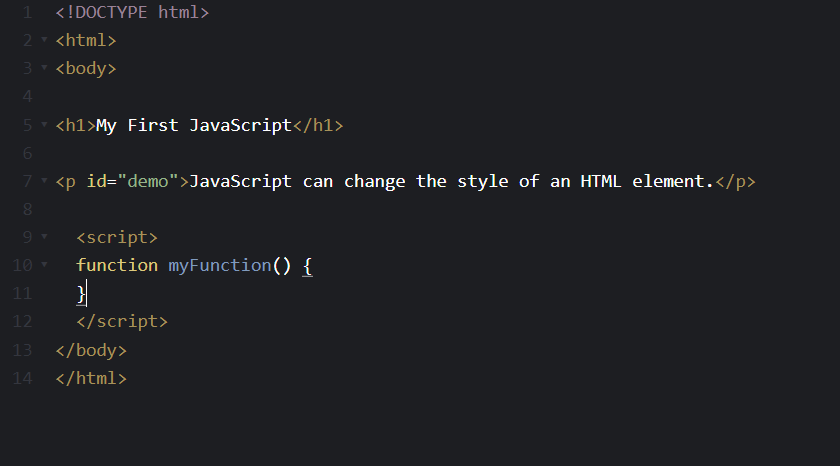
Give the function a name. The given name will be used in the html file.
Step 3
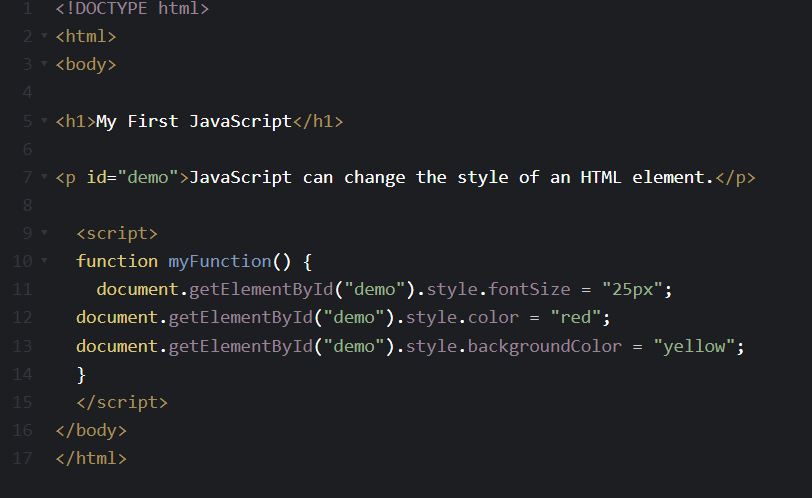
write in the script tag: document.getElementById(). This means that Javascript will only use the id which is written in between the
pharanteses.
After that write down the change you want to see. for further details you can go to the javascript tutorial page.
Step 4
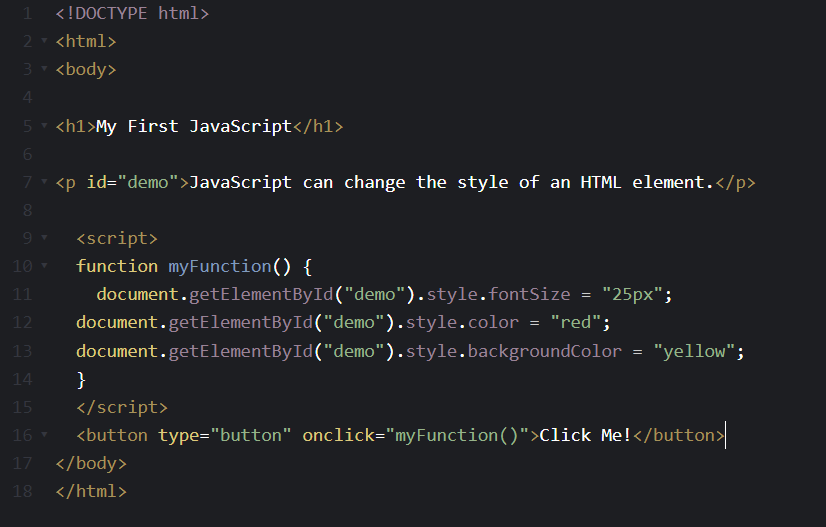
Once you finished writing the function you can start making it as a button.
Use the <button> element and write inside the tag the given function name.
Exercise
blanditiis harum quisquam eius sed odit fugiat iusto fuga praesentium optio, eaque rerum! Provident similique accusantium nemo autem. Veritatis ouga? Ipsa laudantium molestias eos
Exercise 1
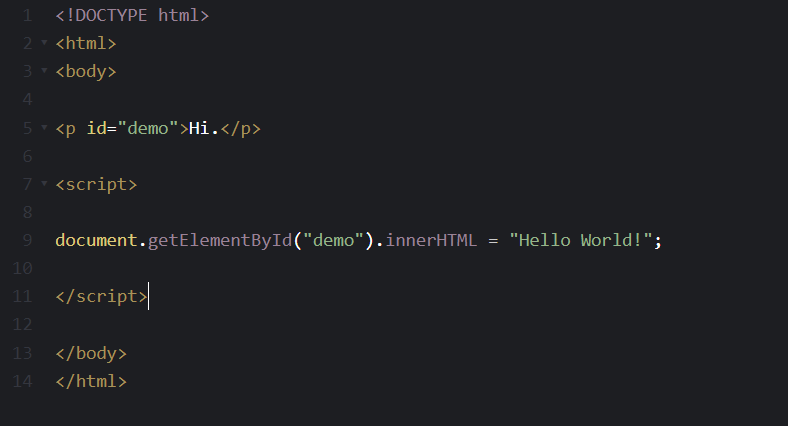
Use JavaScript to change the HTML content of the <p> element to "Hello World!".
<body>
<p> id="demo">Hi.</p>
<script>
document. ....
("demo").innerHTML = "Hello World!";
</script>
</body>
The Correct Answer
Exercise 2
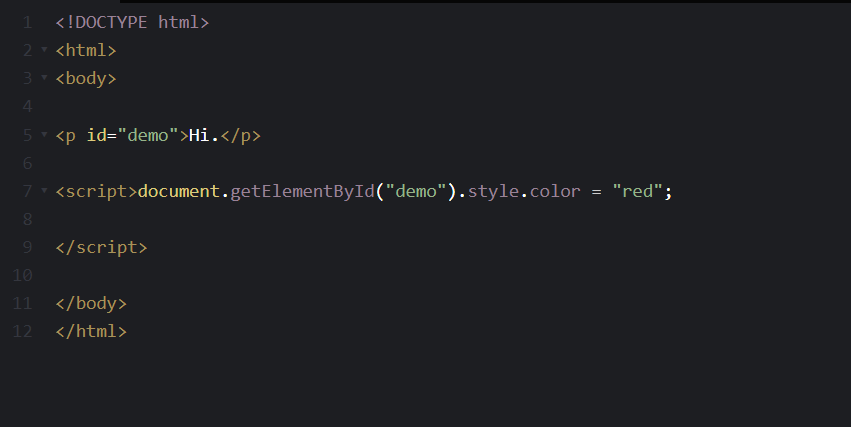
Use JavaScript to set the color of the <p> element to "red".
<body>
<p id="demo">Hi.</p>
<script>
document.getElementById("demo"). .... ....= "red";
</script>
</body>
The Correct Answer