
HTML Courses
HTML Attributes
Description
- HTML attributes provide additional information about HTML elements.
- All HTML elements can have attributes
- Attributes provide additional information about elements
- Attributes are always specified in the start tag
- Attributes usually come in name/value pairs like: name="value"
- All HTMl elements can have attributes:
- The href attribute of <a> specifies the URL of the page the link goes to
- The src attribute of <img> specifies the path to the image to be displayed
- The width and height attributes of <img> provide size information for images0
- The alt attribute of <img> provides an alternate text for an image
- The style attribute is used to add styles to an element, such as color, font, size, and more
- The lang attribute of the <html> tag declares the language of the Web page
- The title attribute defines some extra information about an element
Tutorial Videos
How to go to another page
Step 1
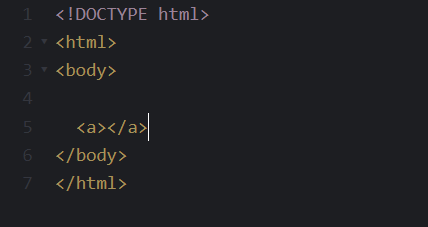
Write down the <a> element in the body.
Step 2
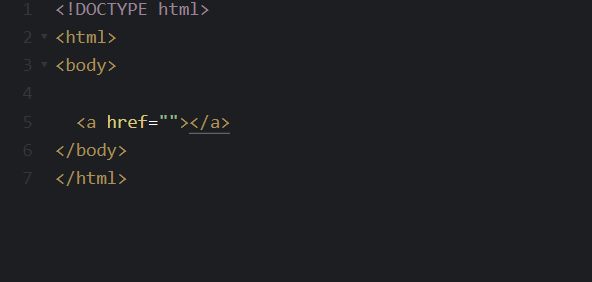
In the first <a> tag you write down 'href=""'. You can use single quote but it is always better to use a double to avoid an error.
Step 3
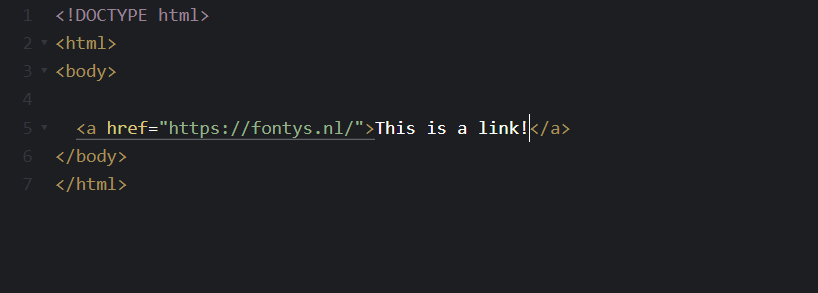
Inbetween the double quotes you write down the link you desire or just copy and paste the desired link.
After that you write something down to let the user click on the link.
Step 4

The end result will look like the image.
Exercise
blanditiis harum quisquam eius sed odit fugiat iusto fuga praesentium optio, eaque rerum! Provident similique accusantium nemo autem. Veritatis ouga? Ipsa laudantium molestias eos
Exercise 1
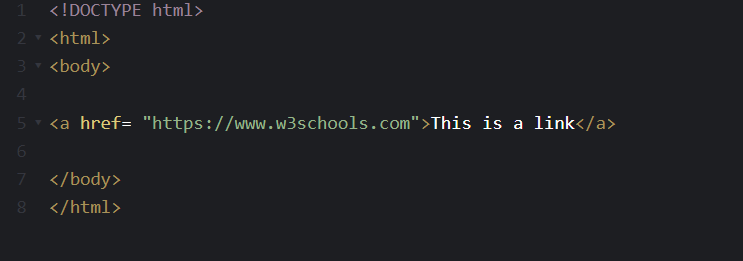
Make the element below into a link that goes to "https://www.w3schools.com".
<a> ..... "https://www.w3schools.com">This is a link </a>
The Correct Answer
Exercise 2
Set the size of the image to 250 pixels wide and 400 pixels tall.
<img src="w3schools.jpg" width=" ... " height="... ">
The Correct Answer